Your staff are building AI tools: how to find, govern and keep the good ones
New Pax8 research says a quarter of UK small firms using AI are building their own AI tools, and nearly a quarter have found tools nobody approved. Here is how to find what exists, set simple rules and keep the useful ones.
If your business uses AI, someone on your team may already have built their own AI tool. It could be a custom Gemini helper, a Copilot workflow or a small script connected to ChatGPT or Claude. New research from Pax8 found that a quarter of UK small firms using AI are building their own tools, and nearly a quarter have found tools nobody approved. Banning them isn't the answer. Find out what exists, switch on the controls you already pay for, set a few plain rules, and turn the best tools into properly supported systems.
What did the Pax8 research find?
Pax8's SMB AI Pulse Report surveyed 1,150 small business leaders across the UK, US, Germany and Sweden. 350 of them were in the UK. IT Brief reported the findings on 26 October 2026. Among UK small firms that use AI:
- 54% say they use it regularly.
- 25% are building their own early versions (prototypes) of AI tools.
- Only 19% use nothing but off-the-shelf products.
- 24% have found staff using AI tools that nobody approved.
The headline is simple. Building your own AI tools is no longer something only tech companies do. It is happening inside ordinary small firms, often without the owner knowing the details.
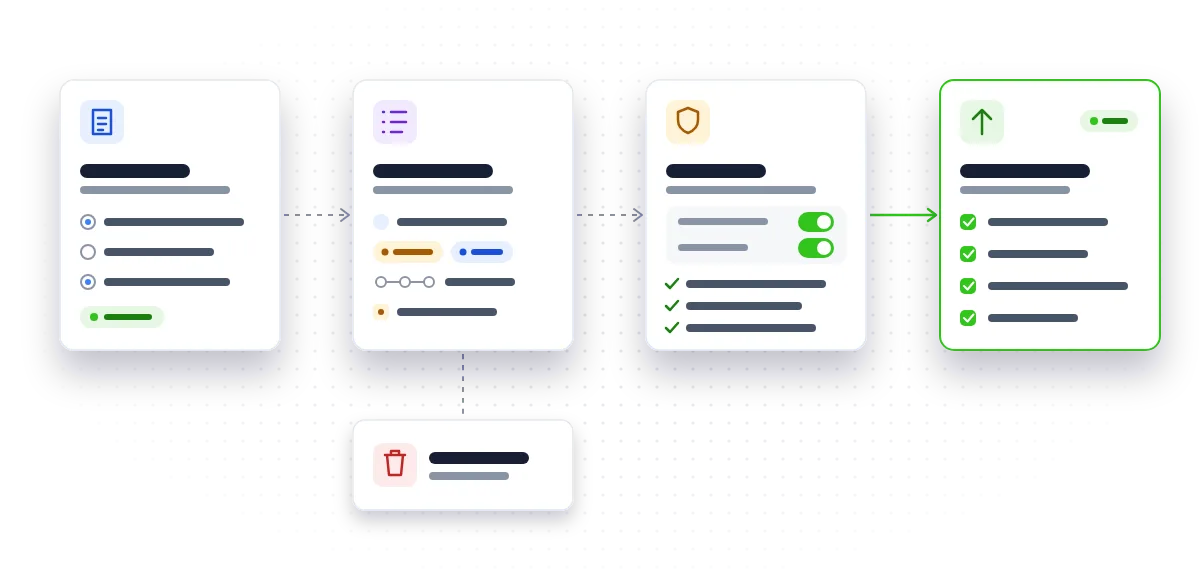
What are staff actually building?
Pax8 also looked at UK firms that are building AI tools:
- 45% are making automated workflows that connect AI to other business systems.
- 39% are building or testing AI agents, meaning tools that carry out tasks with several steps.
- 30% have built custom links into an AI provider's systems.
In practice, that might be an automation that reads incoming enquiry emails and drafts replies. It might be a helper that summarises job sheets, or a script that pushes data from your CRM into an AI model and writes the results back.
The software you already pay for keeps making this easier. Google is rolling out reusable skills in the Gemini app, due to finish by mid-November. The Workspace version has been delayed, and Gems, Gemini's existing custom helpers, move to the Settings panel on 17 November. Microsoft's Copilot in SharePoint can now build simple file-alert workflows in Teams without anyone setting up Power Automate.
The models are getting cheaper too. On 7 October Anthropic released Claude Haiku 5.5, described as its cheapest and fastest small model, built for high-volume, cost-sensitive work. Cheaper, more capable models lower the bar for staff to build their own tools. That is good for productivity, and it is also why governance can't wait.
What are the real risks?
There are three, and they're worth naming plainly.
Data going where it shouldn't. Across all four countries in the Pax8 survey, data security and privacy was the risk most often linked to tools built by staff (30–35%). A helper set up on a personal account, fed with customer emails, is a data protection problem waiting to happen.
Useful tools that depend on one person. A workflow built by an enthusiastic team member can quietly become part of how the business runs. If that person leaves, or the AI provider changes something, it can stop working without anyone noticing until a customer complains.
Decisions about people. An AI tool that screens job applicants, scores leads or sorts customer complaints is still your business's responsibility under data protection law, whoever built it. On 8 October the ICO said ten leading AI developers had made, or promised, changes after supervision. It also opened a call for evidence on AI agents, closing 20 November 2026. The findings will feed into a statutory code of practice on AI and automated decision-making, which the Data (Use and Access) Act 2025 requires the ICO to produce. Osborne Clarke's October roundup also notes a House of Commons committee inquiry into AI adoption, safety and governance. Expectations are getting clearer, not looser.
How do you find out what's already been built?
Start with a short, blame-free survey. Make it clear you want to learn from what people have built, not punish them for it. People who build their own tools are often the ones who understand your processes best.
Ask five questions:
- Which AI tools do you use for work, and on which account (business or personal)?
- Have you built any custom helpers, such as Gems, skills, Copilot agents or custom GPTs?
- Have you set up any automations or scripts that use AI?
- What information does each one see: customer details, staff records, financial data?
- Would anything break if you were off for a fortnight?
Then keep a simple register. A spreadsheet is fine. Record the owner, what the tool does, the data it uses, the systems it connects to, and whether it affects decisions about customers or staff. This one list turns an invisible risk into something you can manage.
Which controls and rules should you put in place?
Turn on the controls you already pay for. Many are off by default or sit unnoticed in admin panels.
- Google Workspace: Google Vault can now search and export staff conversations with Gemini for legal or compliance requests. Check that your retention settings cover them.
- Claude: admins can now switch off the web fetch tool for the whole organisation in the Claude Console, Anthropic's developer console.
- Microsoft 365: review who can create Copilot agents and workflows, and where they can share them.
Then agree three rules and write them on one page:
- Approved accounts only. Work AI goes through business accounts, not personal ones.
- No customer personal data in unapproved tools. If it isn't on the register, it doesn't see customer information.
- A person signs off decisions about people. Anything that screens, scores or sorts customers or staff needs a named person checking the outcome.
Short rules get followed. Long policies get filed away.
How do you turn the useful tools into proper systems?
Your register will probably show one or two tools that are genuinely saving time. Those are worth investing in, because they've already proved their value with your real work.
Turning a staff-built tool into a supported system usually means:
- Testing it against awkward real-world cases, not just the happy path.
- Securing it: proper business accounts, sensible permissions, and keys or passwords kept out of spreadsheets and scripts.
- Documenting what it does and how to fix it.
- Giving it an owner and a basic check that tells someone when it stops working.
Sometimes that's a tidy-up of what already exists. Sometimes it's a rebuild as a proper AI workflow automation connected to your systems. Either way, our free AI app launch checklist is a useful way to spot the gaps. If you'd rather hand it over, we can take staff-built AI tools to production in short sprints, with working software early and priorities agreed as we go.
What should you do next?
- This week: send the five-question survey and start the register.
- Next week: switch on the admin controls in Google Workspace, Microsoft 365 or Claude, and publish your three rules.
- This month: pick the one or two tools that save the most time and decide whether to tidy them up or rebuild them properly.
- Before 20 November: note any tool that makes decisions about people, and keep an eye on the ICO's work towards its code.
If you'd like an outside view, an AI readiness review can turn your register into a short plan: what to keep, what to stop, and what to build properly.
Not sure what AI tools your team has already built, or which are worth keeping? Ask us for a short, plain-English AI plan.
Talk to usQuestions people ask
Should we just ban staff from building their own AI tools?
A ban tends to push the activity onto personal accounts, where you can't see it at all. A short list of approved tools, a few clear rules and a register of what exists usually gives you more control.
Do we need a formal AI policy document?
Not to start with. A one-page set of rules covering approved accounts, customer data and human sign-off on decisions about people is a solid first step, and you can expand it later.
Is a Gem or Copilot agent really an 'AI tool' we need to track?
Yes. If it can see business information or shapes how work gets done, it belongs on your register, even if it took five minutes to build.
What's the difference between a staff-built prototype and a production system?
A prototype works for the person who built it on a good day. A production system has been tested, secured, documented and has a named owner, so it keeps working when things go wrong or people move on.
Sources
- UK small firms race to build AI tools without oversight (IT Brief) (itbrief.co.uk)
- Introducing skills in the Gemini app and Workspace (Google Workspace Updates) (workspaceupdates.googleblog.com)
- An update on the launch of skills in the Gemini app and Workspace (Google Workspace Updates) (workspaceupdates.googleblog.com)
- Google Workspace Updates (workspaceupdates.googleblog.com)
- What's new in Copilot in SharePoint: October 2026 (Microsoft Tech Community) (techcommunity.microsoft.com)
- Claude Platform release notes (platform.claude.com)
- Announcements (Anthropic) (www.anthropic.com)
- ICO secures changes from leading AI developers as scrutiny extends to AI agents (ico.org.uk)
- Regulatory outlook October 2026: Artificial intelligence (Osborne Clarke) (www.osborneclarke.com)