Texted sign-in codes end in Microsoft 365: move your team to passkeys before 1 February 2027
Microsoft stops providing text-message and phone-call sign-in codes for Entra ID on 1 February 2027. Here's how to move your team to passkeys, handle the awkward cases, and check whether your own app's login keeps up.
Microsoft will stop providing text-message and phone-call sign-in codes for Entra ID, the identity system behind Microsoft 365 work accounts, on 1 February 2027. If your staff still confirm sign-ins with a texted code, you have about three months to move them to passkeys or another phishing-resistant method, or pay a third-party telecom provider to keep codes going for the few who genuinely need them. It's also a good moment to check whether your own customer portal or web app handles sign-in as well as the big platforms now do.
What exactly is Microsoft changing, and when?
Microsoft set out the timeline in its July security blog post:
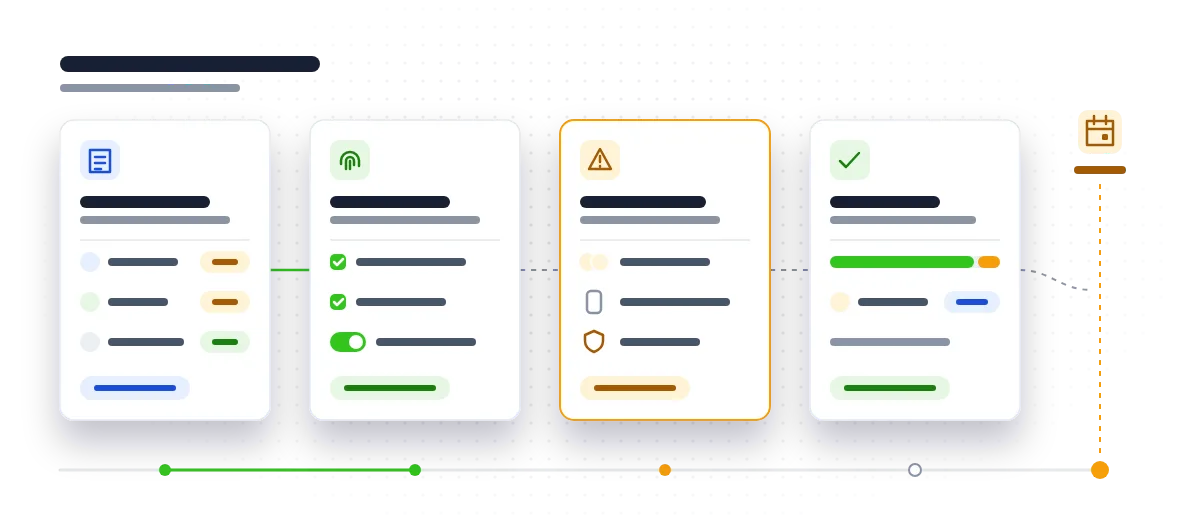
- From 1 September 2026: users enabled for text-message or phone-call codes are automatically enabled and nudged to register a passkey when they complete multi-factor sign-in.
- From 30 October 2026: admins can select and configure a supported telecom provider through the Microsoft Security Store.
- On 1 February 2027: Microsoft-provided text-message and phone-call authentication ends.
On 28 October, BleepingComputer reported that Microsoft had again asked Entra ID administrators to move users to phishing-resistant methods to avoid sign-in disruption. Microsoft's own advice is plain: if codes remain necessary for specific users, configure a supported telecom provider before the deadline, and for every other group of users, default to passkeys.
To be clear, you're not losing multi-factor authentication. You're losing one way of doing it.
Why move to passkeys rather than pay to keep texted codes?
Because the weak point hasn't moved. IBTimes UK reported this week that phishing and reused passwords continue to expose UK small businesses, while updated Cyber Essentials requirements put more weight on multi-factor authentication, cloud security and stronger access controls.
A texted code is better than a password alone, but it can still be phished: someone types it into a convincing fake login page and the attacker uses it straight away. A passkey is tied to the genuine site, so it simply won't work on a fake one.
Paying a telecom provider keeps the weaker method alive and adds a new cost line. Microsoft said pricing would follow; we haven't seen the figures, so budget cautiously and keep that group small.
There's a wider pull too. Government figures reported by Infosecurity Magazine show a 20% year-on-year rise in Cyber Essentials certifications, and IBTimes notes the share of small firms reporting adherence rose from 5% to 12%. Stronger sign-in fits where things are heading.
Step 1: Who in your Microsoft 365 tenant still relies on texted codes?
Start with facts, not guesses. In the Entra admin centre, the authentication methods reporting shows which sign-in methods each user has registered. Export it and build a simple list:
- Name and role
- Methods currently registered
- Whether they have a work phone or company laptop
- Whether they hold any admin rights
Flag anyone whose only second factor is a text or phone-call code. Since 1 September those users have been nudged to register a passkey, so some may already have done it. Check before you start chasing people.
Step 2: How do you get staff registered with passkeys?
Decide what you'll support. The usual options are a passkey held in Microsoft Authenticator on a phone, a passkey on a Windows device (Microsoft has announced general availability of Entra passkeys on Windows), or a hardware security key.
Then make registration an event, not an email that gets ignored:
- Book a short session per team and walk through it together.
- Set a clear date by which everyone should be registered.
- Ask each person to register a second method, so a lost or replaced phone doesn't lock them out.
- Tell staff in advance what the screens will look like, so a genuine prompt isn't mistaken for a scam.
Step 3: What about shared accounts, staff without work phones and admin accounts?
These are the cases that cause lockouts in February, so deal with them before Christmas.
- Staff without a work phone, or who'd rather not use a personal one: give them a hardware security key.
- Shared logins (a single "office@" account several people sign in to): passkeys belong to a person and a device, so these don't fit well. Where you can, give people individual accounts with access to a shared mailbox instead. It's better for accountability anyway.
- Emergency or "break-glass" admin accounts: make sure they have a strong method someone can actually reach if your usual admin is ill or has left. Store any keys securely, write down where they are, and test them.
- Your IT provider and contractors: ask how they sign in to your tenant. Their accounts are as much a way in as your staff's.
Step 4: Who, if anyone, genuinely needs a paid telecom provider?
Only answer this once the steps above are done. You may find nobody needs it. If a few people truly can't use anything else, configure a supported provider through the Microsoft Security Store, available from 30 October, well before 1 February. Write down why each person is on that list and review it every few months, aiming to shrink it.
Does your own customer portal or app's login need the same treatment?
If you run a customer portal, booking system or internal web app with its own login, this is worth a look.
On 15 October the FIDO Alliance said it now estimates 7 billion passkeys are in use worldwide. Its 2026 Passkey Index found 90% of accounts were eligible for a passkey but only 42% were enrolled. One cause it identified is directly useful: sign-in flows offer a password or code before the passkey, even to people who already have one. In the UK, Biometric Update lists passkeys rolling out for GOV.UK One Login on 15 September 2026, so your customers are meeting them in places they trust.
Questions to ask about your own app:
- Does the login support passkeys at all?
- If it does, is the passkey offered first, or buried behind the password box?
- Do you rely on texted codes to verify customers?
- How does account recovery work? It's often the weakest point, because a strong login is undone by an easy "forgot password" route.
Adding passkeys doesn't usually mean rebuilding an app, but it depends on how authentication was built. If you're unsure, a consultancy review can tell you what's there and what it would take, and our web app development team can make the change in short sprints alongside your other priorities.
Why is the timing tighter than it used to be?
Attackers are getting faster. Infosecurity Magazine reports the NCSC warning of an AI-fuelled "vulnerability patch wave", with concern that the most powerful AI tools could let attackers rapidly find and exploit weaknesses across almost any system. The same report says US officials are considering cutting federal patch deadlines from around three weeks to three days. Sign-in is your front door; keeping software patched is locking the windows. Both matter more when the gap between a flaw being found and being used keeps shrinking.
What should you do next?
A simple checklist to work through:
- This week: export the authentication methods report and list everyone relying only on texted or phone-call codes.
- By the end of November: run registration sessions and get staff onto passkeys or security keys, each with a backup method.
- Before Christmas: sort out shared accounts, staff without work phones, and emergency admin access, and test it.
- In January: decide whether anyone genuinely needs a paid telecom provider and configure it well before 1 February 2027.
- Alongside all of this: check whether your own portal or app offers passkeys, offers them first, and has a sensible recovery route.
Want a second pair of eyes on your Microsoft 365 sign-in setup or your own app's login before the February deadline? Book a technical review.
Talk to usQuestions people ask
Will staff be locked out on 1 February 2027 if they do nothing?
Anyone whose only second factor is a Microsoft-provided text or phone-call code risks sign-in disruption once that service ends. Getting them registered with a passkey or security key beforehand avoids the problem.
What is a passkey, in plain terms?
A passkey is a sign-in credential stored on your phone, computer or security key and unlocked with your fingerprint, face or PIN. It's tied to the genuine website, so it can't be typed into a fake login page the way a code can.
What if someone doesn't want to use their personal phone for work sign-in?
A hardware security key is a good alternative. It plugs in or taps to the device and doesn't need a phone at all.
Does switching from texted codes to passkeys affect Cyber Essentials?
You still have multi-factor authentication, just a stronger kind. Updated Cyber Essentials requirements put more weight on MFA and access controls, so moving to phishing-resistant sign-in fits that direction.
Do we have to rebuild our customer portal to add passkeys?
Not necessarily. Passkeys can often be added to an existing login alongside passwords, but it depends on how authentication was built, so it's worth having someone check first.
Sources
- Microsoft urges Entra ID admins to migrate users to passkeys (www.bleepingcomputer.com)
- Microsoft Entra ID security updates: Passkeys are the default authentication method in Entra ID (www.microsoft.com)
- General Availability: Microsoft Entra passkeys on Windows (mc.merill.net)
- 7 Billion Passkeys and Counting: The Next Chapter of Passwordless Authentication (fidoalliance.org)
- FIDO Alliance counts 7 billion passkeys as adoption gains momentum (www.biometricupdate.com)
- Cyber Essentials in 2026: Why Stolen Credentials Still Put UK Small Businesses at Risk (www.ibtimes.co.uk)
- Cyber Essentials Has Record Year but Takeup Remains Low (www.infosecurity-magazine.com)
- NCSC Warns of an AI-Fuelled "Vulnerability Patch Wave" (www.infosecurity-magazine.com)