Supabase's 30 October change: what to check in your inherited AI-built app
Supabase now needs explicit permissions on new tables. If you've inherited an app built with Lovable, Bolt or a freelancer's AI tool, here's how to check who can read your data, and how to avoid a risky quick fix.
From 30 October 2026, according to a developer write-up of the change, new tables in Supabase projects can't be reached by your app until someone gives them an explicit database permission, called a GRANT. Existing tables carry on as before. If you've inherited an app built with Lovable, Bolt or another AI builder on Supabase, it probably still works today. But the next feature someone adds may quietly fail, and the obvious quick fix could expose customer data.
This guide explains what changed, why it matters to whoever owns the app now, and five steps to check your position this week.
What changed at Supabase on 30 October?
Supabase is the database and back end behind a large number of AI-built apps. According to the write-up, apps built on it now work differently in one specific way: new tables stop being reachable from your app until they get an explicit Postgres GRANT. A GRANT is the permission that lets the app reach a table.
What stays the same: existing tables keep their current grants and stay reachable, and row-level security (RLS) works as before. RLS is the set of rules that decides which rows each user can see.
You need to pay attention if your app talks to tables through Supabase's Data API (supabase-js, any client library, /rest/v1/ or /graphql/v1), or if your migrations or AI coding tool create tables without GRANT statements.
The reason given is sensible. Agents, scripts and AI platforms now create tables without a person reviewing the change, and the old default made it easy to expose a table before it was secured. Because this detail comes from one write-up, confirm it in your own Supabase dashboard and Supabase's documentation before acting on it.
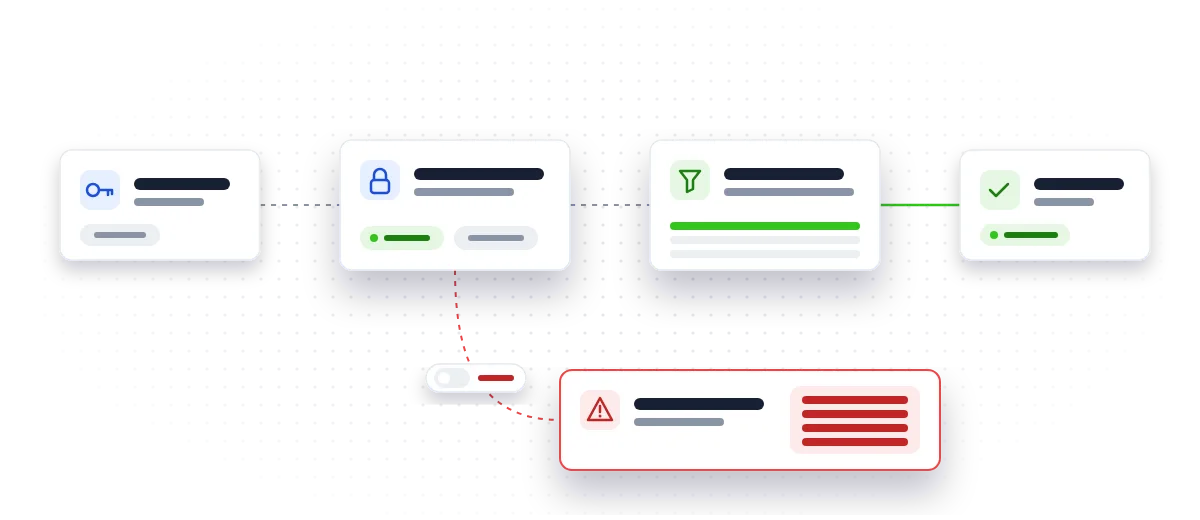
Why is this your problem if you didn't build the app?
Because you own it now. Plenty of small business apps were built by a member of staff, a freelancer who has since moved on, or an agency using AI tools. Two things can follow from this change:
- The next table someone adds with an AI tool may simply not work, and nobody will know why.
- Someone may "fix" it by opening access far more widely than intended.
The second is the real risk. Grants decide whether a role can reach a table; RLS decides which rows that role can see. A table exposed without RLS can be read by any role with matching grants, and the "anon" role uses your public key, the one that ships inside your app.
What happens when access rules are missing?
The Lovable case is the clearest warning. The flaw, listed as CVE-2025-48757, came down to insufficient or missing RLS policies in Lovable-generated projects. According to Superblocks' explainer, a researcher's follow-up scan found 303 endpoints across 170 projects without proper RLS. The public exploit showed attackers retrieving personal debt amounts, home addresses and API keys from live apps.
That's personal data, so UK GDPR applies to whoever runs the app. "The AI built it" isn't a defence.
Nor is newer AI a fix on its own. Veracode's 2026 report found the average security pass rate for AI-generated code sits at 56 percent, virtually unchanged on the previous year, with coding-specialised models averaging 51 percent. The UK's NCSC has called for vibe coding tools to be secure by default, producing hardened code out of the box. Supabase's change is a step in that direction, but it only helps if someone acts on it properly.
Step 1: Which of your apps run on Supabase, and who can get in?
List every app your business relies on that was built with an AI builder or by a freelancer. For each, find out whether it uses Supabase and who has a login to the Supabase dashboard.
If the only admin login belongs to someone who has left, fix that first. Add a business-owned account, remove access for people who no longer need it, and turn on multi-factor sign-in.
Step 2: What does the Security Advisor flag?
In each Supabase project, open the Security Advisor. According to the write-up, it flags affected tables and suggests the fix. The Table Editor also shows a badge for tables exposed through the Data API.
Note every table that's flagged or exposed. Don't apply suggested fixes yet; first understand what each table holds.
Step 3: Do your customer and staff tables have row-level security that makes sense?
For every table holding customer, staff or financial data, check two things:
- RLS is switched on. A grant on its own is not a security control.
- The rules match how the app should behave. A customer should see their own orders, not everyone's. A policy that lets anyone read every row is the same as having no policy.
If you're not sure what a rule does, that's a sign to get a second pair of eyes on it rather than guess.
Step 4: How will future table changes be reviewed?
This is the habit that prevents the next problem. Every new table should arrive with its permissions and access rules in the same change, and a person should review it rather than accepting whatever the AI tool produced. A reviewed change for a simple orders table might look like this:
alter table public.orders enable row level security;

create policy "Customers see their own orders"
  on public.orders for select
  to authenticated
  using (auth.uid() = customer_id);

grant select on public.orders to authenticated;
Notice what's missing: no grant to the anon role. If a table has to be public, that should be a deliberate, written-down decision.
Step 5: Have you written down who can read what?
Record the result in a short document that stays with the business, not with a freelancer. It should cover which tables exist, what data they hold, which roles can reach them, what the RLS rules allow, and who owns the app and the Supabase account.
That record turns an app nobody understands into one you can hand to a new developer, an insurer or an auditor with confidence.
Quick checklist
- [ ] Every Supabase-backed app is listed, with a business-owned admin login
- [ ] Security Advisor run, and flagged tables noted
- [ ] RLS switched on for every table holding personal or financial data
- [ ] Each RLS rule checked against how the app should actually behave
- [ ] No anon access to sensitive tables unless deliberately decided
- [ ] New tables always arrive with grants and policies, reviewed by a person
- [ ] A written record of tables, access and ownership kept by the business
What should you do next?
Start with Steps 1 and 2 this week; they take little time and tell you how exposed you are. If the results raise questions, or nobody in the business is comfortable judging the access rules, that's the point to bring in help.
Our free AI app launch checklist covers these checks alongside others worth doing before an AI-built app handles real customers. If you'd like someone to review and stabilise the app properly, see how we take AI prototypes to production, or ask about an architecture review. HeyIO is based in Birmingham and works with businesses across the West Midlands and the UK.
Inherited an AI-built app on Supabase? Get a handover review of who can read your data.
Talk to usQuestions people ask
Will my existing Supabase app stop working because of the 30 October change?
According to the developer write-up, no. Existing tables keep their current grants and stay reachable; the change affects tables created from 30 October 2026 onwards.
Is the Supabase anon key a secret?
No. It's your public key and ships inside your app, so anyone can find it. That's why tables reachable by the anon role need row-level security rules that limit what can be read.
Does adding a GRANT make a table secure?
No. A grant only decides whether a role can reach a table at all. Row-level security decides which rows it can see, and without it a granted table can be read in full.
Our app was built in Lovable, not Supabase directly. Does this apply to us?
It can. The write-up says it affects apps built with Lovable, Bolt and other AI builders on top of Supabase if they talk to tables through the Data API, or if the tools create tables without GRANT statements.
Sources
- Supabase's 30 Oct change: the next table your AI builder creates needs a grant (dev.to)
- Lovable Vulnerability Explained: How 170+ Apps Were Exposed (www.superblocks.com)
- LLMs Are Getting Smarter, But Not Safer: Veracode 2026 GenAI Code Security Report (www.businesswire.com)
- RSAC: UK NCSC Head Urges Industry to Develop Vibe Coding Safeguards (www.infosecurity-magazine.com)